Stop drowning in
endless open tabs
Share any content, from blogs to Instagram posts to YouTube videos to podcast episodes. Note Hoard extracts the key insights and organizes them into beautiful, searchable notes.
Designed for humans, supported by AI.
Smart notes that organize themselves
Whatever you save gets summarized, tagged, and filed automatically.

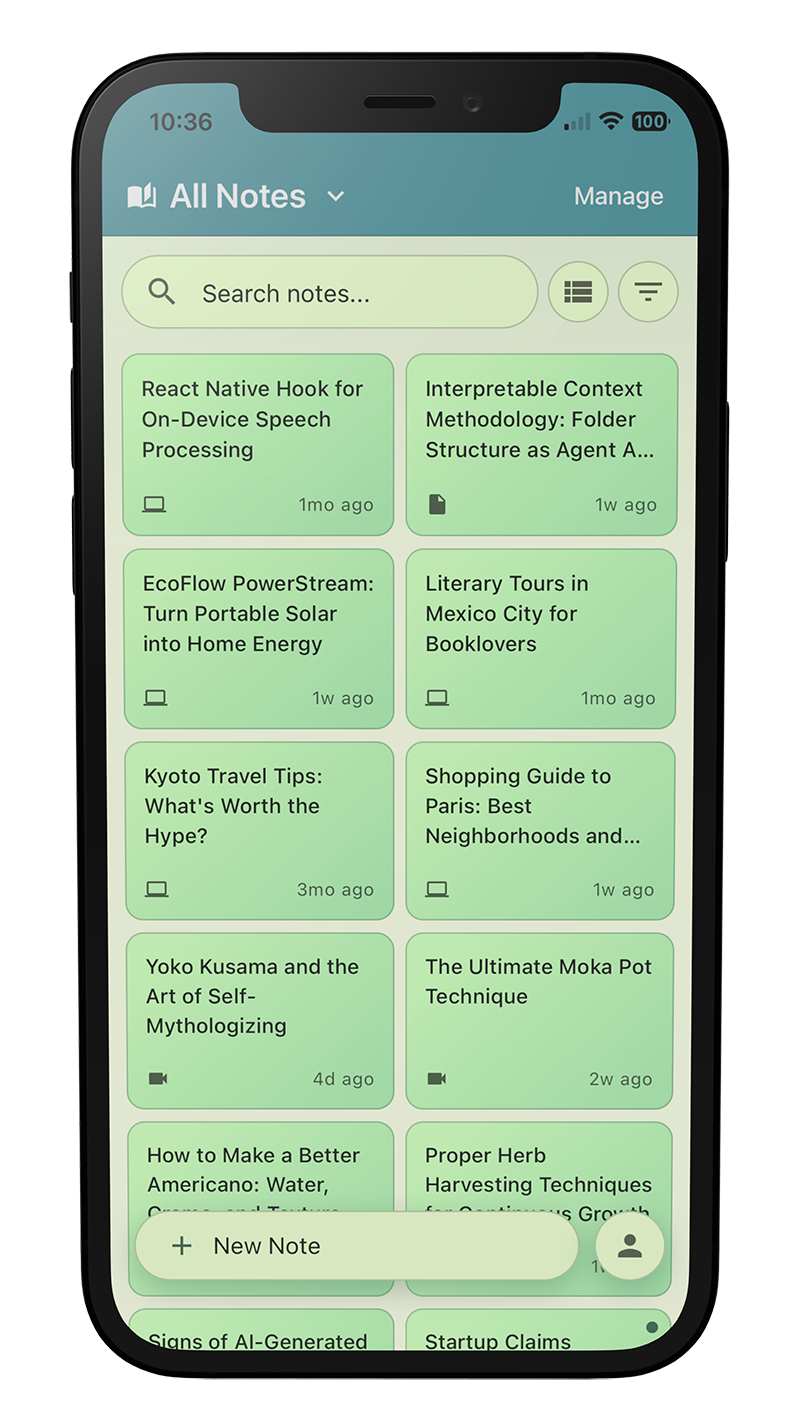
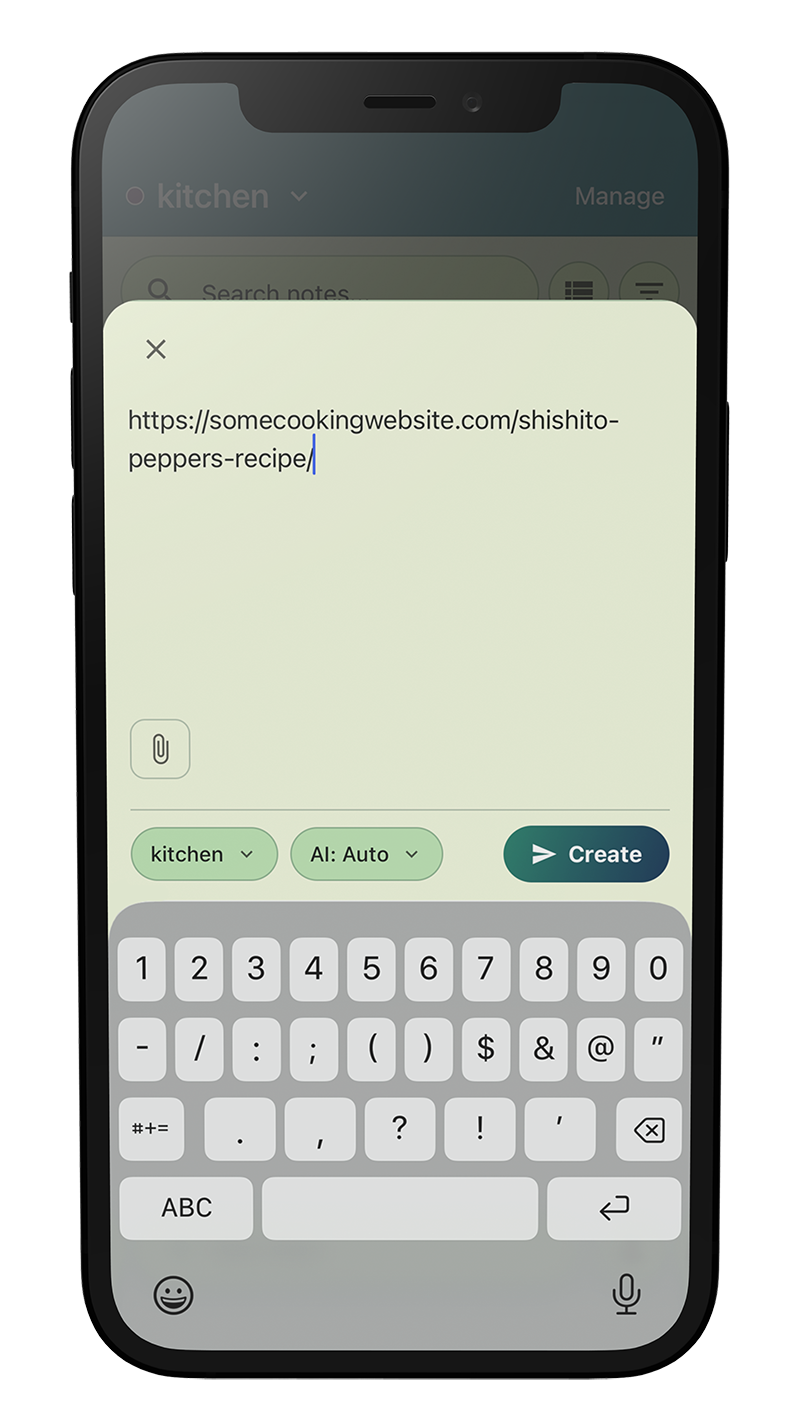





AI Enhancement, Human Control
AI that works for you when you want it to
Smart Notes
Get the essence in succinct summaries. Perfect for recall and easy to search.
And if you want to add your own notes, editing is easy.
Auto-Generated Tags
Intelligent categorization so you can find notes later.
Add and edit tags as you wish — AI will reuse your tags intelligently.
Automatic Organization
Combine AI and manual rules to organize notes into folders, exactly how you want.
Don't want to think about it? Don't worry, it still works.
Thoughtful AI Controls
Not everything benefits from an AI summary.
You're in control, not creating more clutter.
Your data isn't trapped.
Escape at any time.
No Lock-In
Open formats, open exports. Your data belongs to you. Cancel your subscription? The summaries are still there to view and export.
Privacy Focused AI Use
AI processing of extracted content happens securely via OpenRouter through model providers with zero data retention policies.
Sync Directly to Notion
Send notes straight to your Notion workspace. Your knowledge base, connected.

Simple, Transparent Pricing
Start free, upgrade when you need more. No hidden fees.
Free Trial
Perfect for trying out Note Hoard, no credit card needed
- 1000 unprocessed notes*
- Sync to Notion
- Token rollover
- Priority processing
Starter
For casual note-takers
- Unlimited unprocessed notes*
- Sync to Notion
- Token rollover
- Priority processing
Pro
For power users who need more
- Unlimited unprocessed notes*
- Sync to Notion
- Token rollover
- Priority processing
Power
For professionals and heavy users
- Unlimited unprocessed notes*
- Sync to Notion
- Token rollover
- Priority processing
Prices in USD, excluding applicable taxes.
*Subject to rate and storage limits.
Frequently Asked Questions

Hi! I'm Chris, the creator of this app. Not seeing answers to your questions here? You can contact me at chris@notehoard.com, @notehoard, or through the support form.
- Raw text: Paste anything, or upload plaintext files. If web extraction fails, you can always directly enter the information.
- Web URLs: We extract public website content automatically. For paywalled or otherwise account-locked content, use the browser extension.
- Images: We read photos and screenshots directly. Any text in them is captured, and your note covers what the image shows even when there's no text at all. Images can be directly uploaded or sent with links to image content.
- Files: We extract the text content from uploaded PDF, Word, Excel, and PowerPoint documents. Direct links also work.
- Videos: Links from YouTube, TikTok, Instagram, Facebook, and X/Twitter are supported. We take these videos and generate a transcript.
- Podcasts: Links to episodes from Apple Podcasts, Spotify, Pocket Casts, Castro, and most podcast websites. We transcribe the episode and write the note from the transcript.
Organization Logic
Folder logic is applied in stages:- You can set the folder when creating the note.
- If nothing is set then manually defined rules are used to try to set the folder.
- If still nothing is set then the AI will try to determine the folder.
Rules for Folder Content
You can also apply rules that define how notes in the folder are handled.AI Processing Rule: Applies to notes placed in the folder before the AI-folder-processing step. You can turn off AI processing for specific folders.- For example, making a bookmarks-only folder that you manually place notes in when you just want to save links.
- Or creating a News folder (place notes based on news site domain names) that skips AI-processing so you can read the news articles later.
- Generate a clean title.
- Write an effective summary with formatting and length that reflects the complexity of the content.
- Determine relevant tags for organization.
- Determine the appropriate folder to place the note in, if any.
- Text, URLs, and plaintext files: 1 token
- Images and Files (PDF, Word, Excel, PowerPoint): 2 tokens
- Videos and podcasts are duration-based: 5 tokens up to 5 minutes, plus 1 token per additional minute (a 60-minute podcast costs 60 tokens)
- PDF, Word, Excel, PowerPoint: maximum 10 MB
- Image (JPEG, PNG, WebP, GIF, HEIC): maximum 5 MB
- Text file (.txt, .md, .csv, .log, .json, .xml, .html): up to 1 MB, but practical maximum is the tier's character limit.
- Free Trial: 100,000 characters
- Starter: 400,000 characters
- Pro: 400,000 characters
- Power: 400,000 characters
data folder with a machine-readable copy of your notes, folders, tags and settings.It takes a few minutes for a large account, and you don't have to wait on the page — come back and the Account page will have your download ready. The link works for seven days, and you can request a new export every six hours.Every plan can export, including the free plan. Deleting your account removes the export too, so download it first if you want a copy.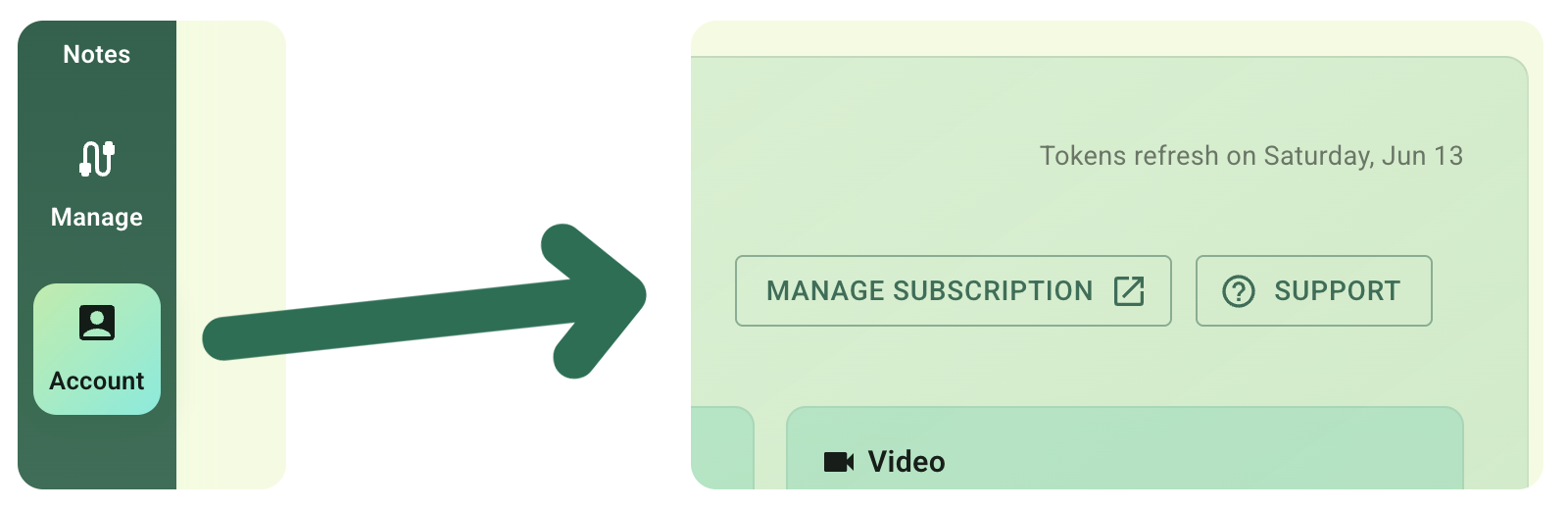 You can manage your subscription by going to the Account page and clicking the Manage Subscription link.Subscriptions are managed through the platform that the purchase occurs on. Use the web app to manage your subscription if you subscribe through the web. If you instead subscribe in the mobile app, then manage the subscription via the App Store or Google Play.Upgrades, downgrades, and cancellations are all handled by our payment processors. Your billing data is handled by the payment processors, we do not have access to it.Your subscription renews automatically unless canceled at least 24 hours before the end of the current period, and your account is charged for renewal within 24 hours before the period ends at the price of your selected plan.Changes take effect at the end of your current billing period, except for upgrades which take effect immediately.If assistance is needed, you can reach us through the Support page.
Start Hoarding Knowledge Today
Free to start. No credit card required.
Create Your Free Account